How to Create OKX API Keys
To create OKX API keys, please follow the steps below.
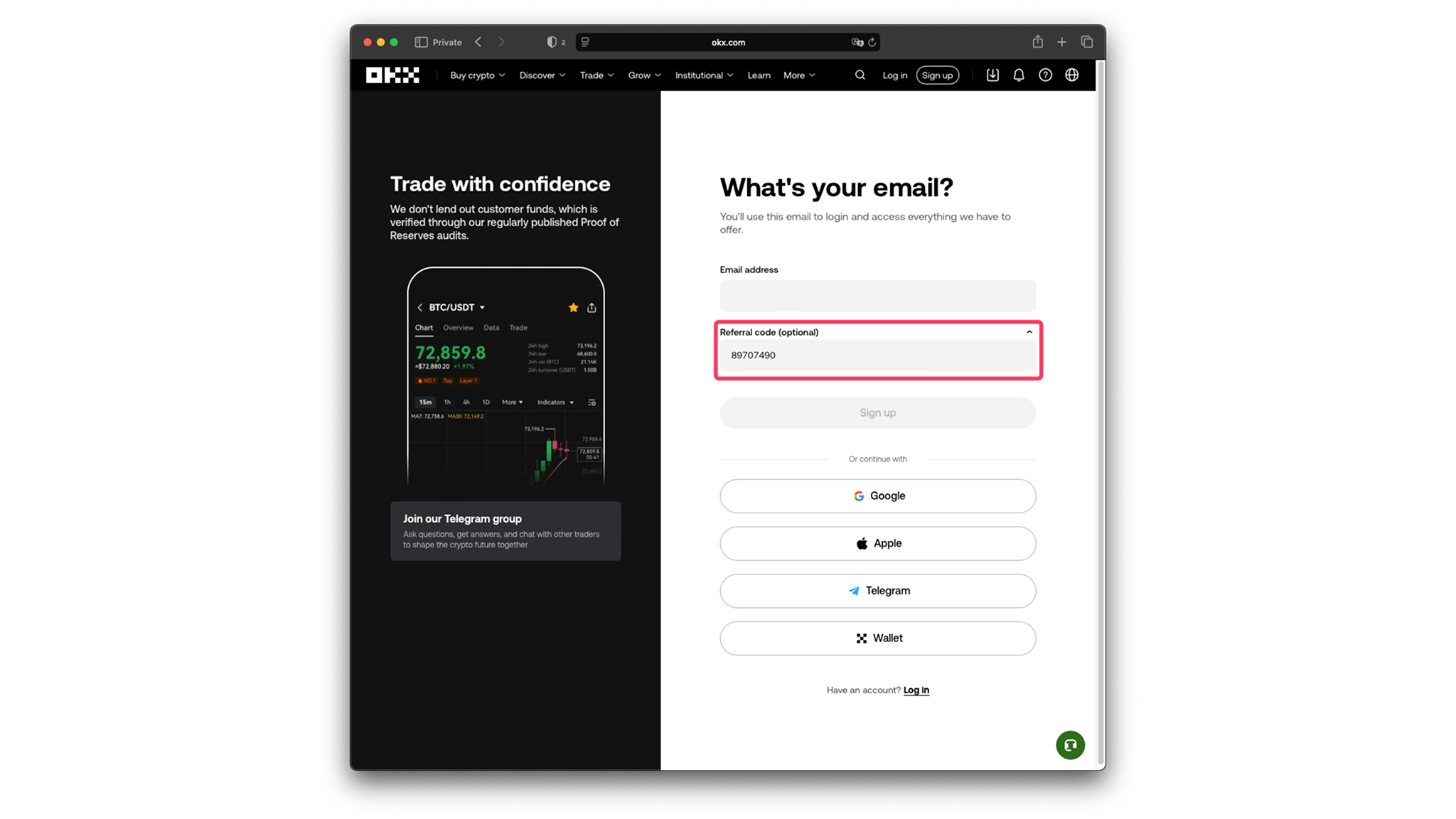
If you do NOT have an OKX account
Please sign up here. Use referral code 89707490 during signup to support us.
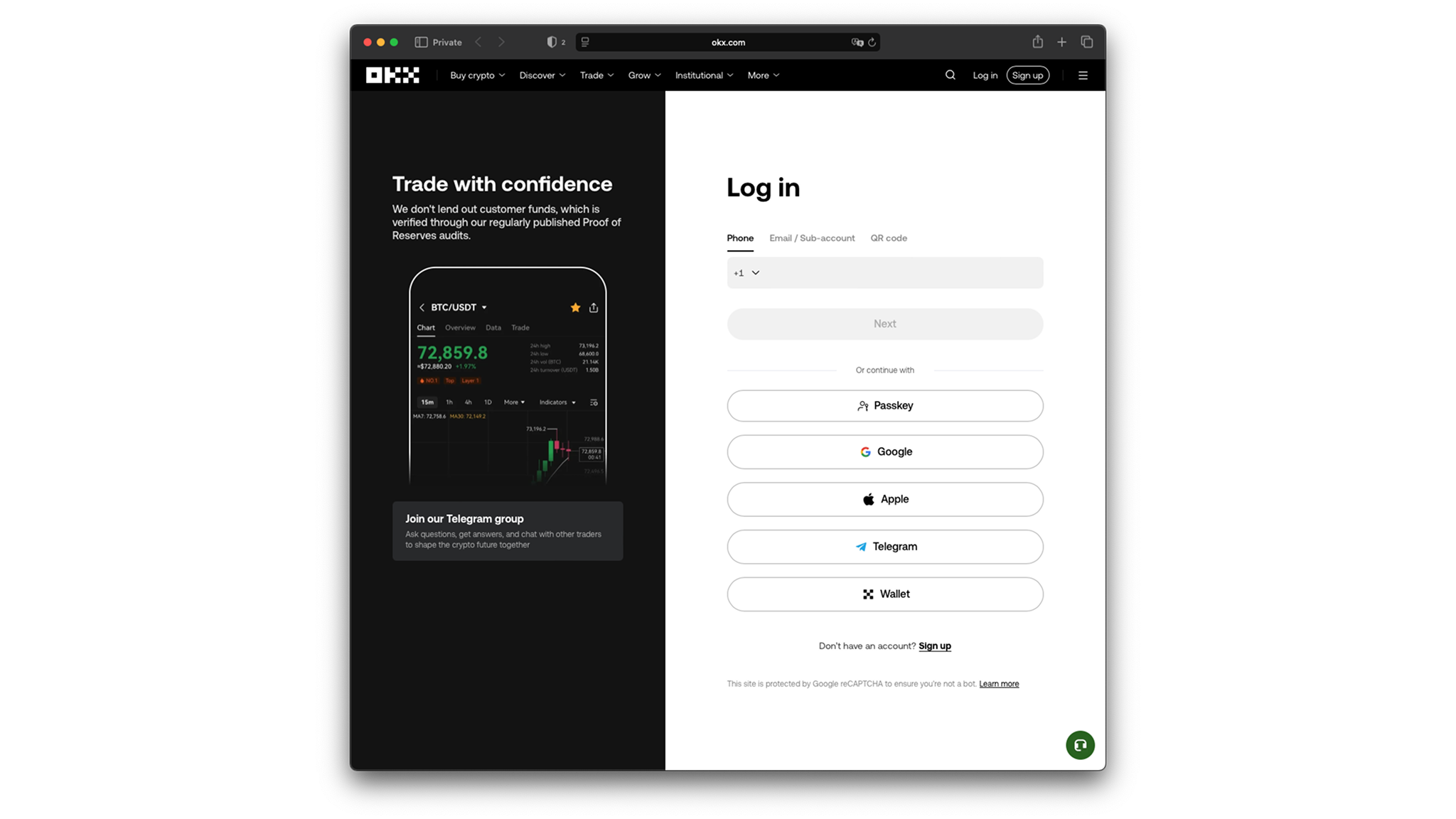
If you already have an OKX account
Please log in to your account.
Verify Your Account (if not verified)
- Follow any of the verification options in your account settings
- Complete the verification steps
- You should see a "verified" badge at your profile page
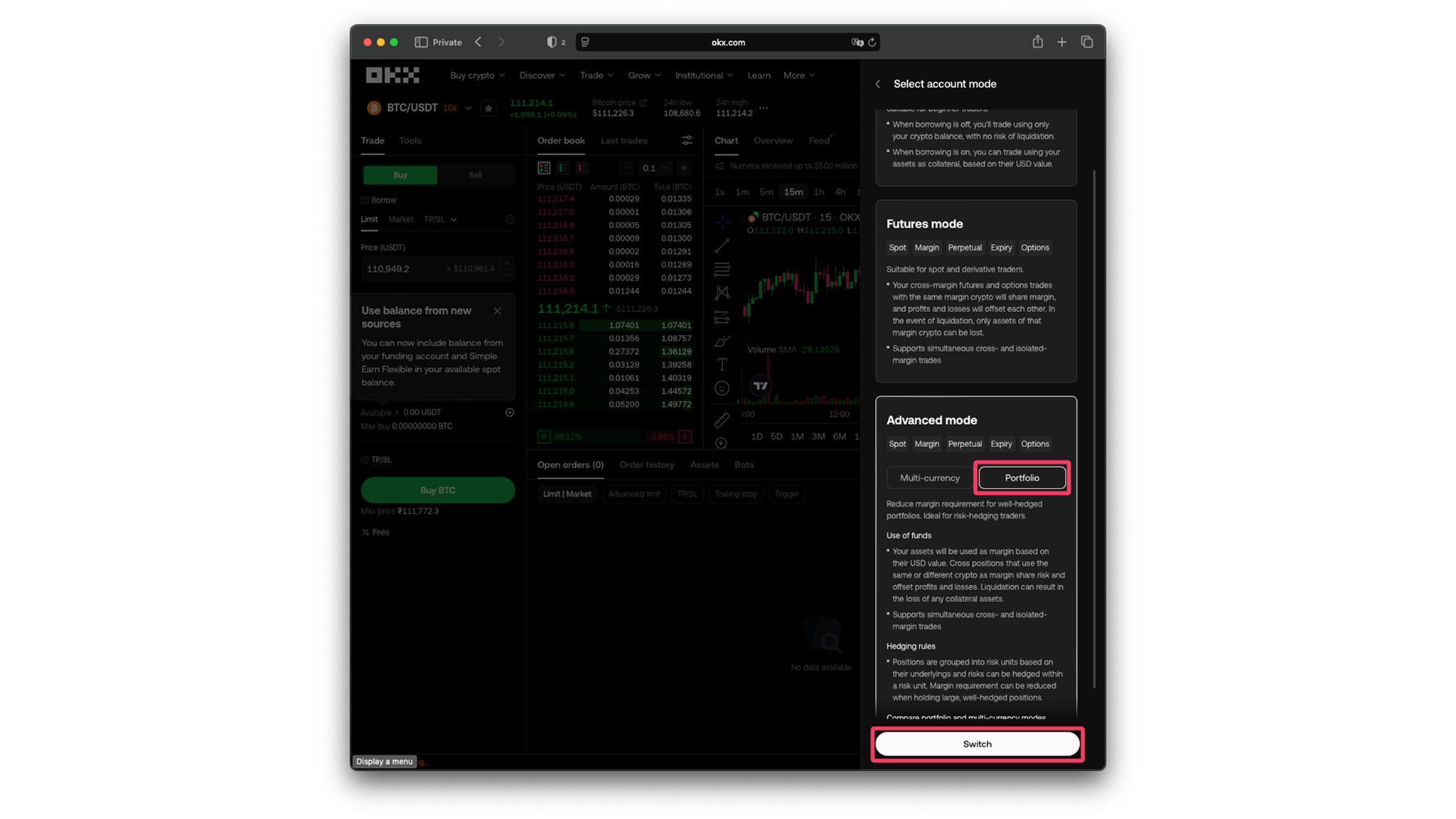
Switch Account to Portfolio Mode
- Go to the spot trading page
- Click the settings gear icon on the top right corner
- Click Account Mode, scroll down and select Portfolio Mode
- Switch on the "auto-borrow" preference
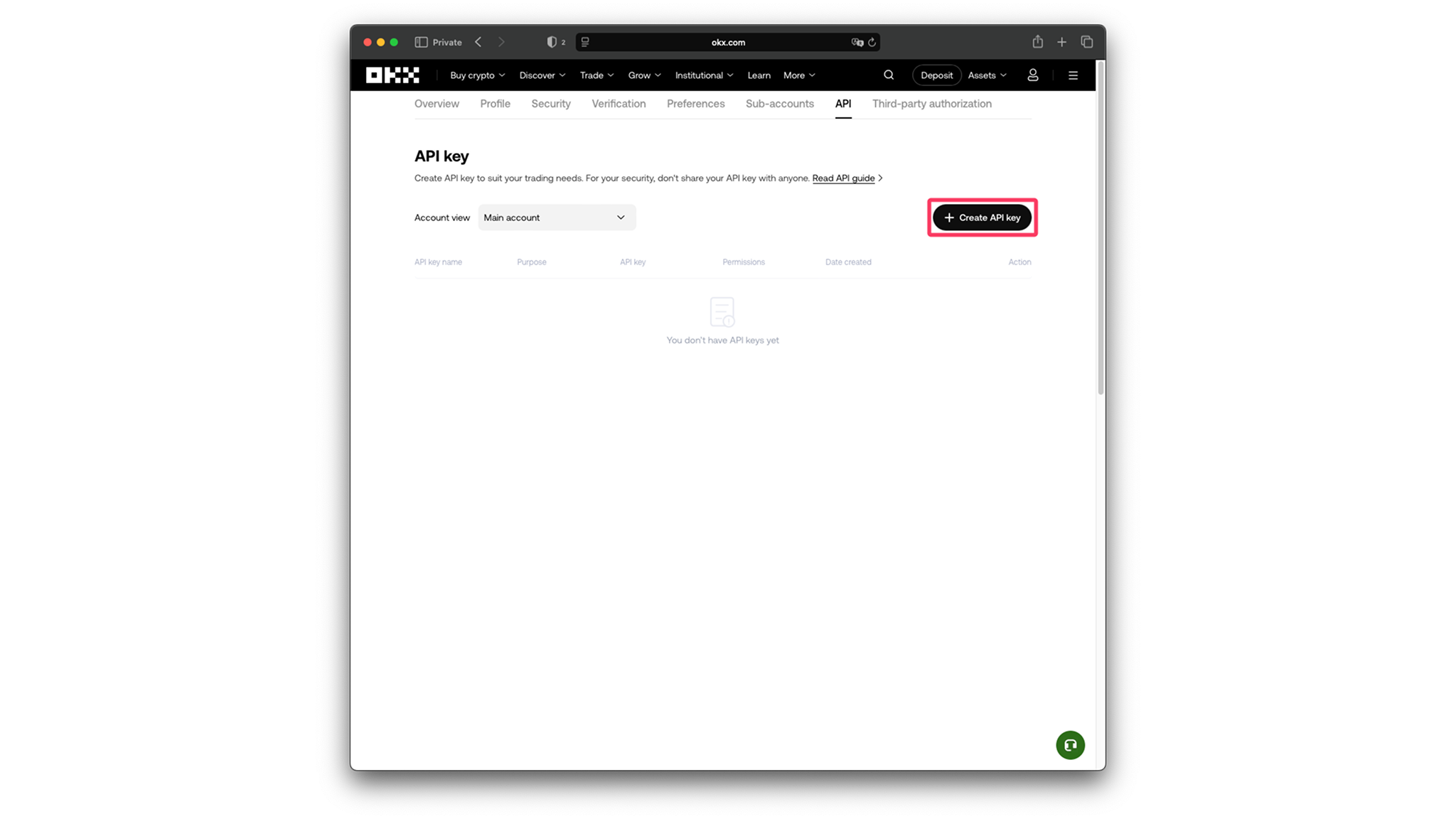
Create API Key
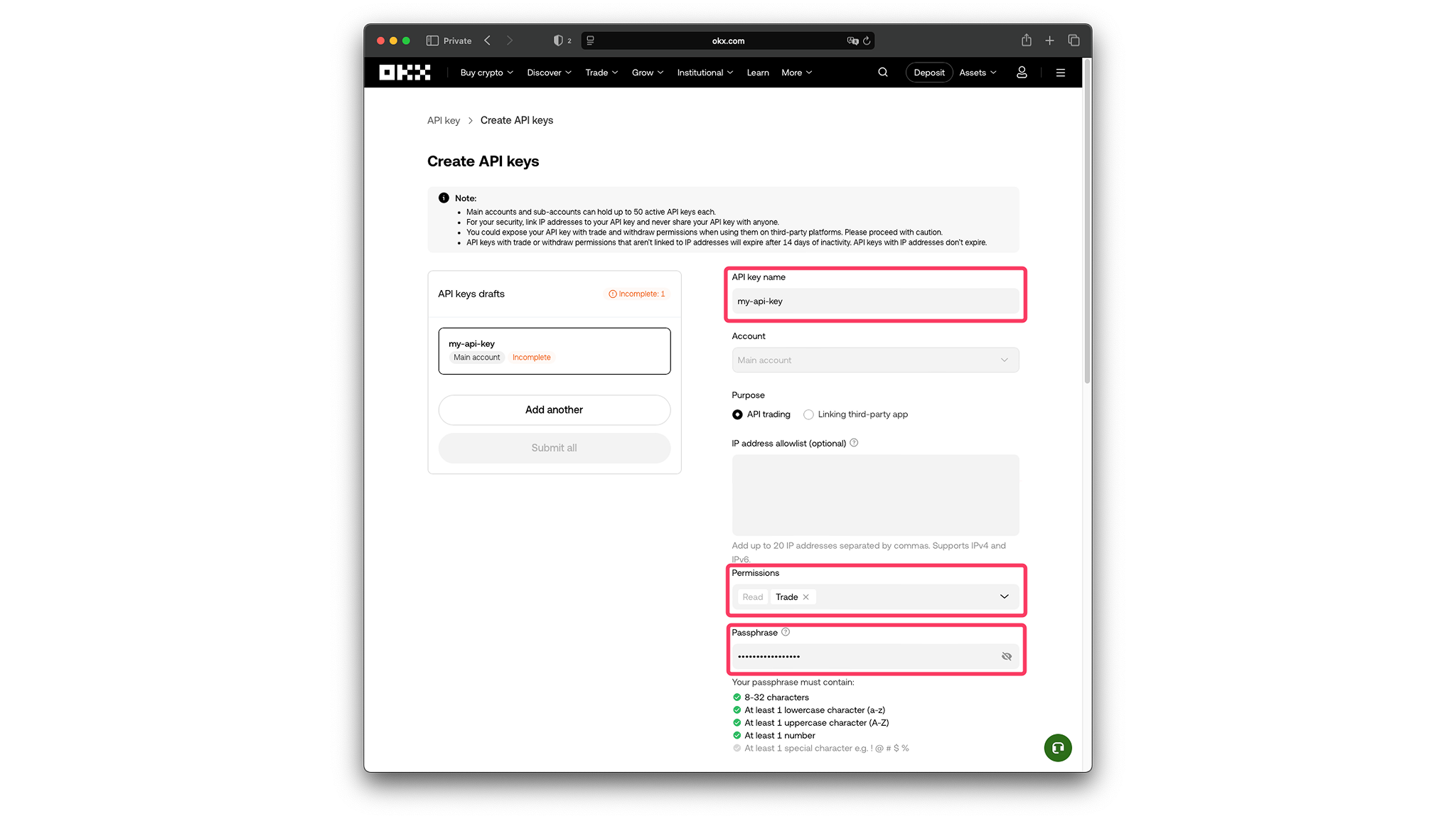
- Go to the API keys page
- Click "Create API Key"
- Fill in the form:
- "API key name" — any string related to the key usage
- "Permissions" — extend to include
Tradepermission - "Passphrase" — any string meeting OKX requirements. Remember it — you'll need it later
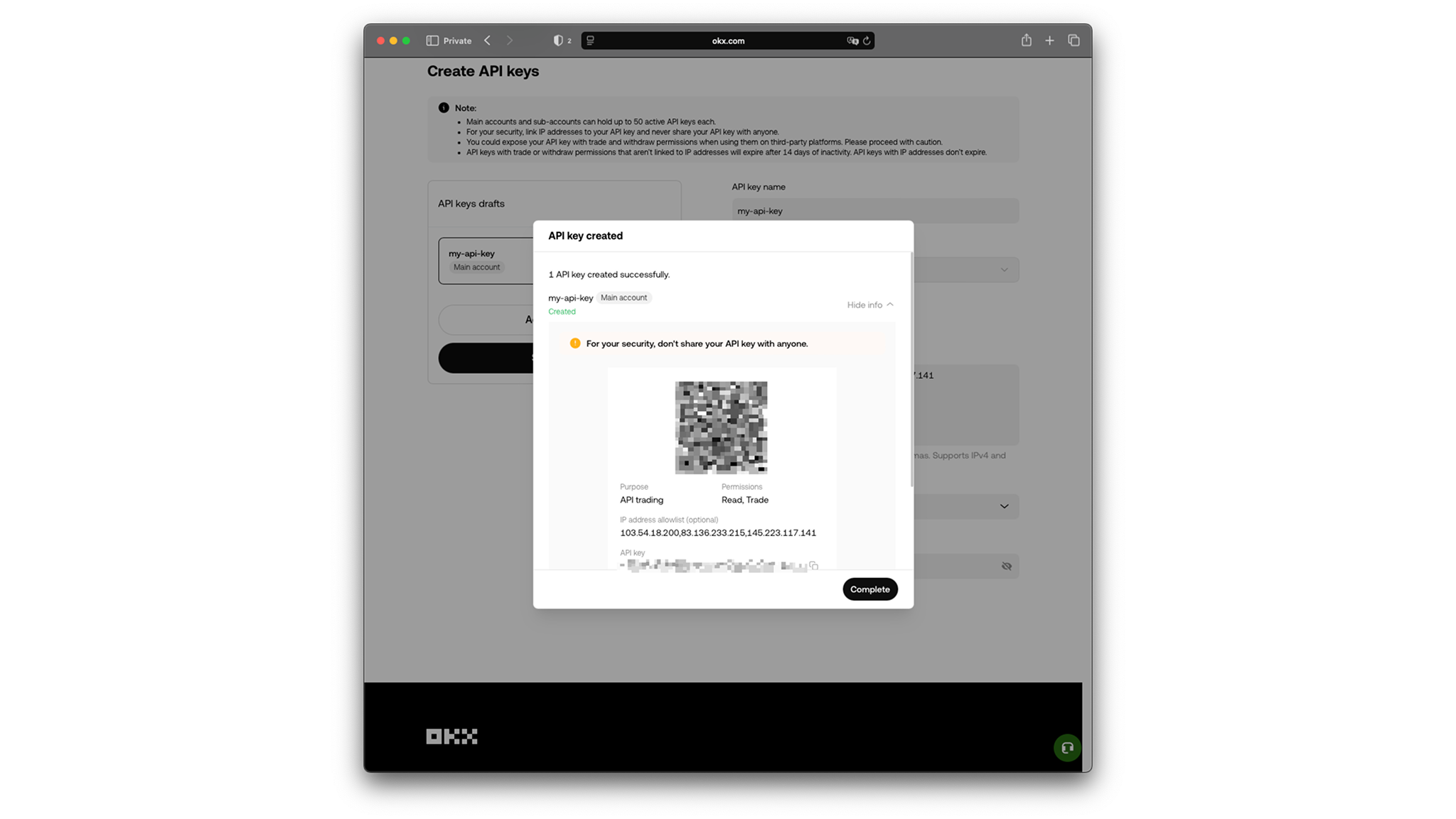
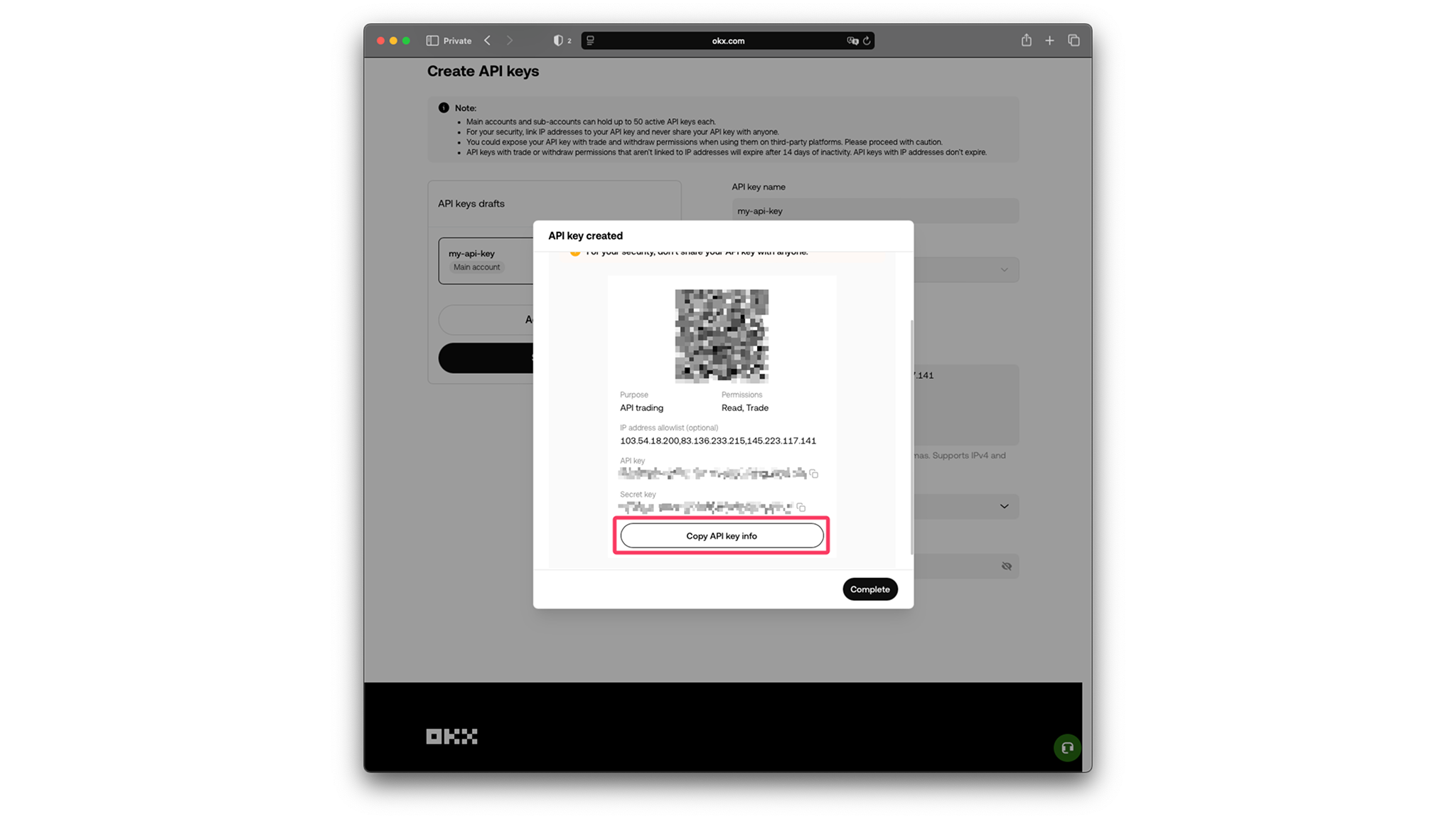
- Share with the BlackSwan bot: API key, Secret key, and Passphrase.
- You can use the "Copy API key info" button to copy all info at once.
Telegram Bot
Then go to the Black Swan Telegram bot for further instructions.
Important Notes
- OKX requires a Passphrase in addition to API key and secret
- Portfolio Mode is required for options trading
- Only enable Trade permissions — never enable withdrawal access
- Your funds remain on OKX at all times
- You can delete API keys at any time from OKX's API management page